Some people have asked me how you can search in iOS 7, because you can no longer swipe all the way to the left to search.
Well all you need to do is on any of the home pages, swipe down anywhere in the middle region of the screen and the new search feature will appear.
Voila, done!
Showing posts with label ios 7. Show all posts
Showing posts with label ios 7. Show all posts
Thursday, 26 September 2013

iOS 7 some of what I like about it
The lock screen now looks great, and really awesomeness you can access the notification centre and control centre right from the lock screen.

Slide across and you get the much more attractive unlock keyboard;

The new home screen looks fantastic, it took a little while to get used to, but it actually looks a lot better than it used to look.

Swipe down from the top and you get the notification centre;

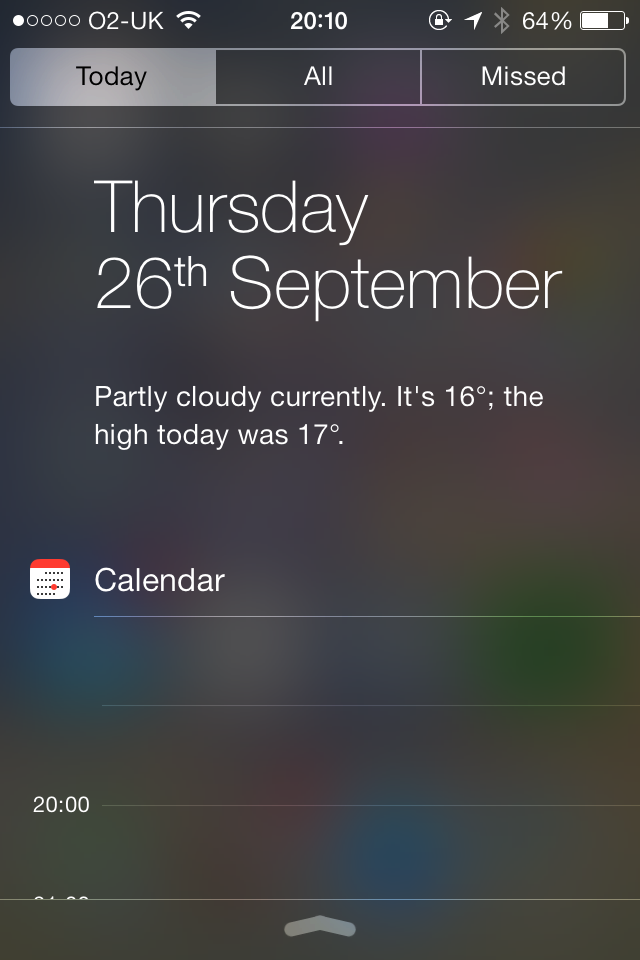
Swipe across to get Today view, which although doesn't give the graphic weather output, it actually gives something much more useful - that is a current weather forecast and outlook in text, which I actually use, whereas the old weather widget for me just looked pretty.
It's really good to have the calendar accessible via notification centre and the lock screen, fab. And you get a list of how many events you have tomorrow - would have been better if it listed what those events were but, it's still very good. Also would be good if you could swipe to get the whole of the day's calendar view, not just the next few hours.

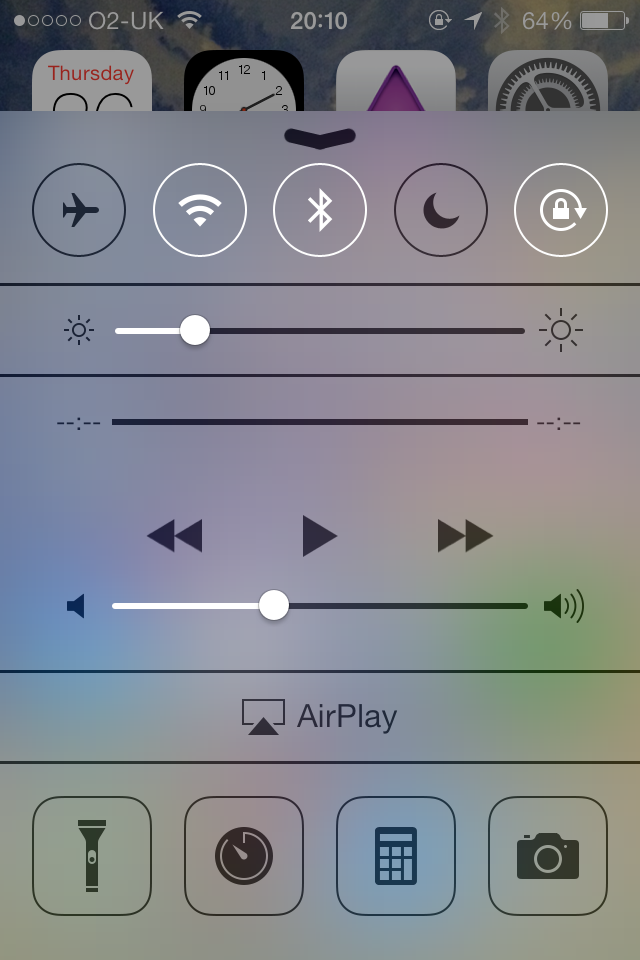
Swipe up for the control centre, this is very good - gives you control of music player, airplay, and allows you to quickly turn on/off Airplane mode, Wifi, Bluetooth, Do not Disturb, and the orientation lock. You can also control the brightness, and quickly open the flashlight, clock, calculator and camera, friggin great!

And the icing on the cake is the new multitasking view, by double clicking the home button, which brings up a window of the apps, and allows you to swipe up to close, very Touchpad/WebOS inspired, and I really like it, and it is useful, and much more fun to swap to different apps this way.

And the notification banners that appear are now much more pretty, and integrated better. Overall I'm very happy with the new iOS 7.

Slide across and you get the much more attractive unlock keyboard;

The new home screen looks fantastic, it took a little while to get used to, but it actually looks a lot better than it used to look.

Swipe down from the top and you get the notification centre;

Swipe across to get Today view, which although doesn't give the graphic weather output, it actually gives something much more useful - that is a current weather forecast and outlook in text, which I actually use, whereas the old weather widget for me just looked pretty.
It's really good to have the calendar accessible via notification centre and the lock screen, fab. And you get a list of how many events you have tomorrow - would have been better if it listed what those events were but, it's still very good. Also would be good if you could swipe to get the whole of the day's calendar view, not just the next few hours.
Swipe up for the control centre, this is very good - gives you control of music player, airplay, and allows you to quickly turn on/off Airplane mode, Wifi, Bluetooth, Do not Disturb, and the orientation lock. You can also control the brightness, and quickly open the flashlight, clock, calculator and camera, friggin great!
And the icing on the cake is the new multitasking view, by double clicking the home button, which brings up a window of the apps, and allows you to swipe up to close, very Touchpad/WebOS inspired, and I really like it, and it is useful, and much more fun to swap to different apps this way.

And the notification banners that appear are now much more pretty, and integrated better. Overall I'm very happy with the new iOS 7.
Use of Siri in iOS 7
I'm happy with Siri, and iOS 7, what I particular like using Siri for is when I am travelling in the car and I use it mainly for i) Setting reminders; ii) Reading notifications; iii) Responding to text messages; iv) making phone calls; v) Playing music.
It comes with certain issues the main issues are;
a) Occasionally, and actually quite often I get the message "Sorry I can't take any requests right now" or "I'm currently having a problem" or something to that effect. Normally it goes away after a few seconds, today it continued for 10+ minutes, it would be good to have a way to know whether Siri is working or not.
b) When I set a reminder I can set it to remind when I arrive "at home" or "at work" but when I say at a place such as "arriving at Basildon" it doesn't understand what I'm saying and makes that part of the reminder description. The same thing happens when I set it to remind me at a time, it sometimes gets confused and includes the time as part of the task description. Now when I want it to remind me I say "remind me at 1.30pm" and then it says "what would you like me to remind you about" and then I say "remember to feed the fish" or something, and then it allows me to create the reminder at 1.30pm.
c) Notifications sometimes gets confused when I'm trying to get it to playback my voice mail. So I think saying something like call voicemail, or listen to phone voicemail does the trick most of the time.
d) Playing music doesn't seem to understand when I say an album name and artist together .e.g. "play Counting Crows" works, and "play Recovering satellites" works, but not "play counting crows recovering satellites). Also at the moment I've got a bug where playing certain music, it says "playing xxx..." but then nothing plays, which is a bit annoying.
It's getting better though, and it's really useful. Especially replying to text messages is great.
It comes with certain issues the main issues are;
a) Occasionally, and actually quite often I get the message "Sorry I can't take any requests right now" or "I'm currently having a problem" or something to that effect. Normally it goes away after a few seconds, today it continued for 10+ minutes, it would be good to have a way to know whether Siri is working or not.
b) When I set a reminder I can set it to remind when I arrive "at home" or "at work" but when I say at a place such as "arriving at Basildon" it doesn't understand what I'm saying and makes that part of the reminder description. The same thing happens when I set it to remind me at a time, it sometimes gets confused and includes the time as part of the task description. Now when I want it to remind me I say "remind me at 1.30pm" and then it says "what would you like me to remind you about" and then I say "remember to feed the fish" or something, and then it allows me to create the reminder at 1.30pm.
c) Notifications sometimes gets confused when I'm trying to get it to playback my voice mail. So I think saying something like call voicemail, or listen to phone voicemail does the trick most of the time.
d) Playing music doesn't seem to understand when I say an album name and artist together .e.g. "play Counting Crows" works, and "play Recovering satellites" works, but not "play counting crows recovering satellites). Also at the moment I've got a bug where playing certain music, it says "playing xxx..." but then nothing plays, which is a bit annoying.
It's getting better though, and it's really useful. Especially replying to text messages is great.
Sunday, 22 September 2013
iMessage and multiple Apple Ids
I had an issue that my iPhone was sending receiving iMessages, that my other Apple devices weren't getting, and visa versa.
What I found is that on the iPhone iOS 7 I was signed into the other Apple Id I have, and no matter trying to add the first Id would seem to fix it - as it was asking to verify my first email address, but I couldn't get it to send a verification email.
What I then did was log out of iMessage and log back in with my first apple Id. Enabled a second email address and my phone number, and set all new messages to come from my phone number. And made sure could receive from both email addresses.
In doing so I got pop ups on my other apple devices, which I okayed.
Eventually the first apple id / email address now gave me extra options on my MacBook Pro, and I could set it to the phone number, and enable all my email addresses to associate with it. Same thing on my other apple devices. Problem resolved.
What I found is that on the iPhone iOS 7 I was signed into the other Apple Id I have, and no matter trying to add the first Id would seem to fix it - as it was asking to verify my first email address, but I couldn't get it to send a verification email.
What I then did was log out of iMessage and log back in with my first apple Id. Enabled a second email address and my phone number, and set all new messages to come from my phone number. And made sure could receive from both email addresses.
In doing so I got pop ups on my other apple devices, which I okayed.
Eventually the first apple id / email address now gave me extra options on my MacBook Pro, and I could set it to the phone number, and enable all my email addresses to associate with it. Same thing on my other apple devices. Problem resolved.
Saturday, 21 September 2013
iOS 7 first impressions
What I like about it;
- Lock screen with access to camera, notifications and control centre is excellent
- New control centre, is fab way of accessing quickly some certain commands e.g. turning on/off wifi, airport mode, discrete mode
- Notifications is awesome, works much better, the notification alerts/bars look much better, and it's better integrated. Only downside is the post to twitter and Facebook share widget has gone, which is annoying.
- Calendar app is really good, as is the new camera app and photos app
- The email app is improved, looks good, and has now got some (limited) smart inboxes
- The look of the new iOS is fresh and new and the animations are cool
- The apps that have been re-engineered for iOS 7 look really good
What I don't like so much / or problems I've had;
- Siri's voice - Siri now sounds very strange
- Weather not appearing in notification centre - this was fixed by turning location services on, from within restrictions
- Post to twitter and FB has been removed
- Search from siri is unfortunately going to Bing rather than Google, and it doesn't appear to be fixable at the moment
- Loading/updating apps very confusing - initially the icons were very confusing, but I now understand how this works
- Where have events gone in photos - thought I like the way photos are grouped together
- All day events not appearing under notification centre - haven't been able to figure this out yet
Subscribe to:
Posts (Atom)